Bulk write tags.
Sync events. Keep history.
NFC Memo is built for teams deploying many tags fast. Write in continuous bulk sessions, send read/write events to your backend, and keep a reliable write history for audits and support.
Three features that deliver real operational value
If you care about speed, integration, and accountability, these are the parts of NFC Memo that matter.
Bulk Write
Write many tags in one session with per-tag verification and optional password protection after each write.
Webhook
Send read/write events to your server in real time so your team can automate tracking and downstream actions.
History
Keep a searchable log of writes with UID, payload, and timestamp to resolve issues and verify operations.
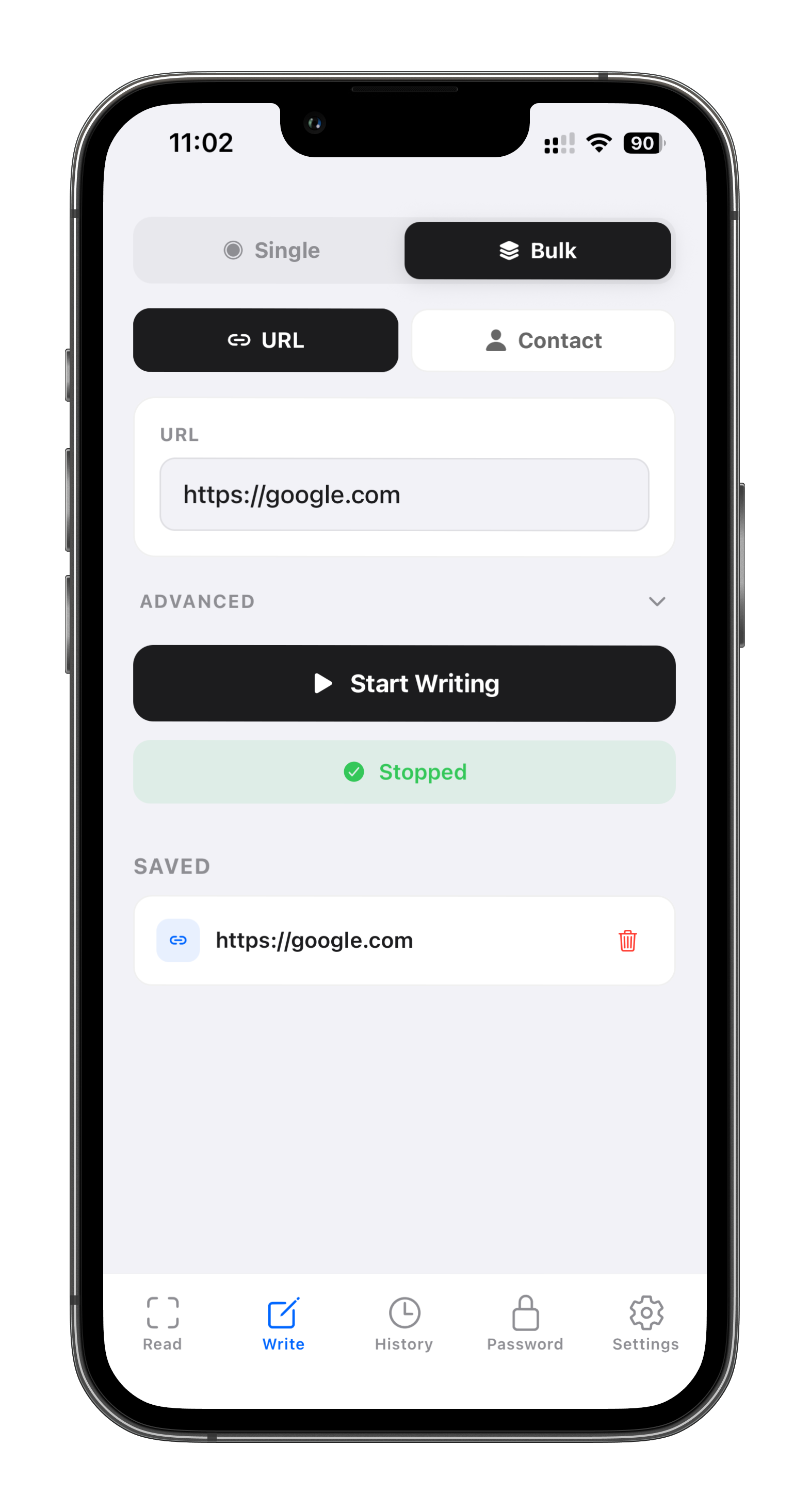
Bulk write without repeating the same setup
Enter content one time, start bulk mode, then tap tags continuously. NFC Memo verifies each successful write as you go.
Use ### in URLs to inject each tag's UID automatically during batch runs.
Optional lock-after-write helps prevent unauthorized overwrites when tags are deployed in the field.
Webhook quickstart for read/write automation
Set one endpoint URL, enable webhook toggle in-app, and NFC Memo will POST structured JSON on every successful read or write.
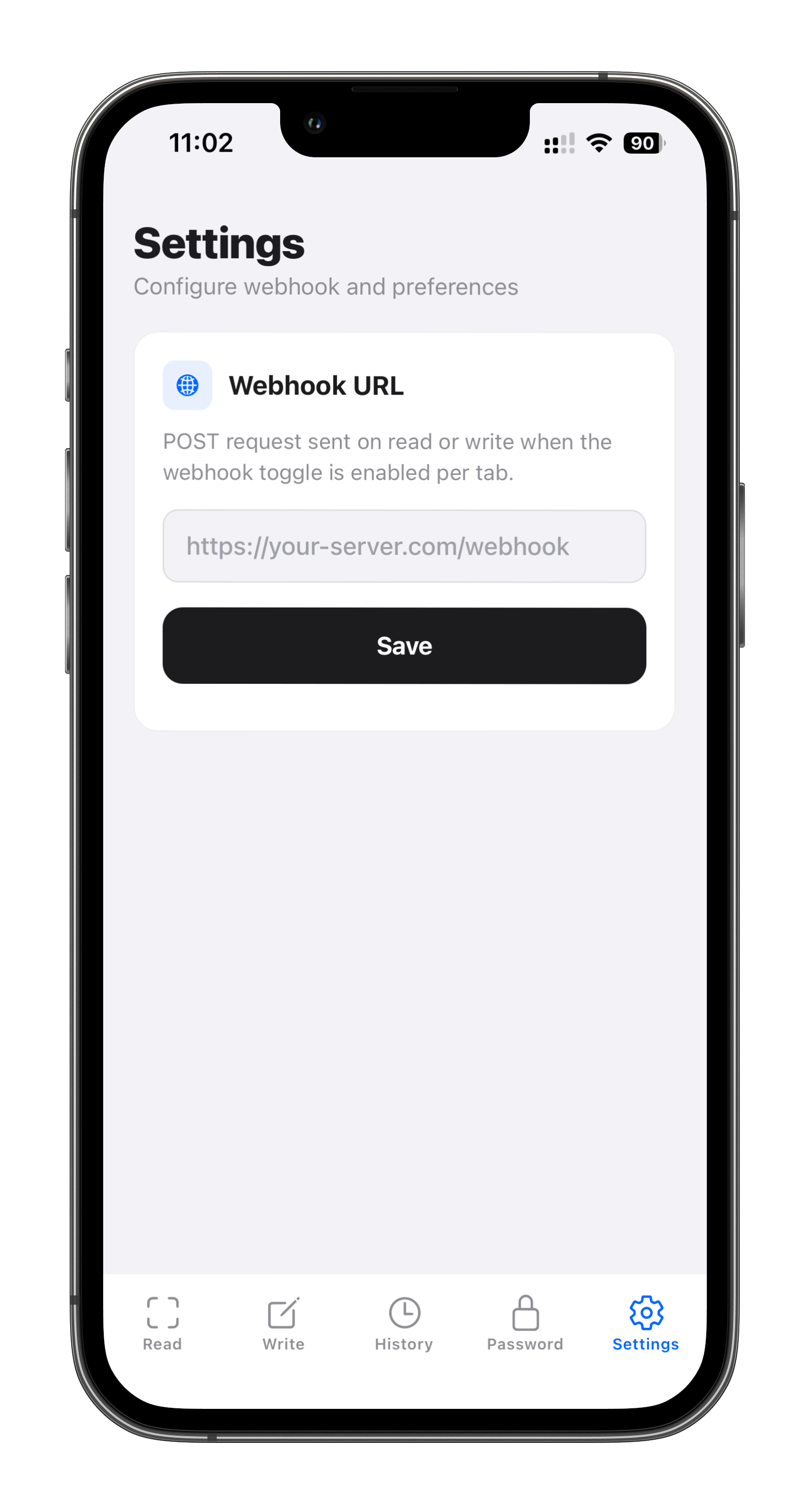
Set endpoint in Settings
Open Settings in the app and paste your webhook URL (must accept JSON POST).
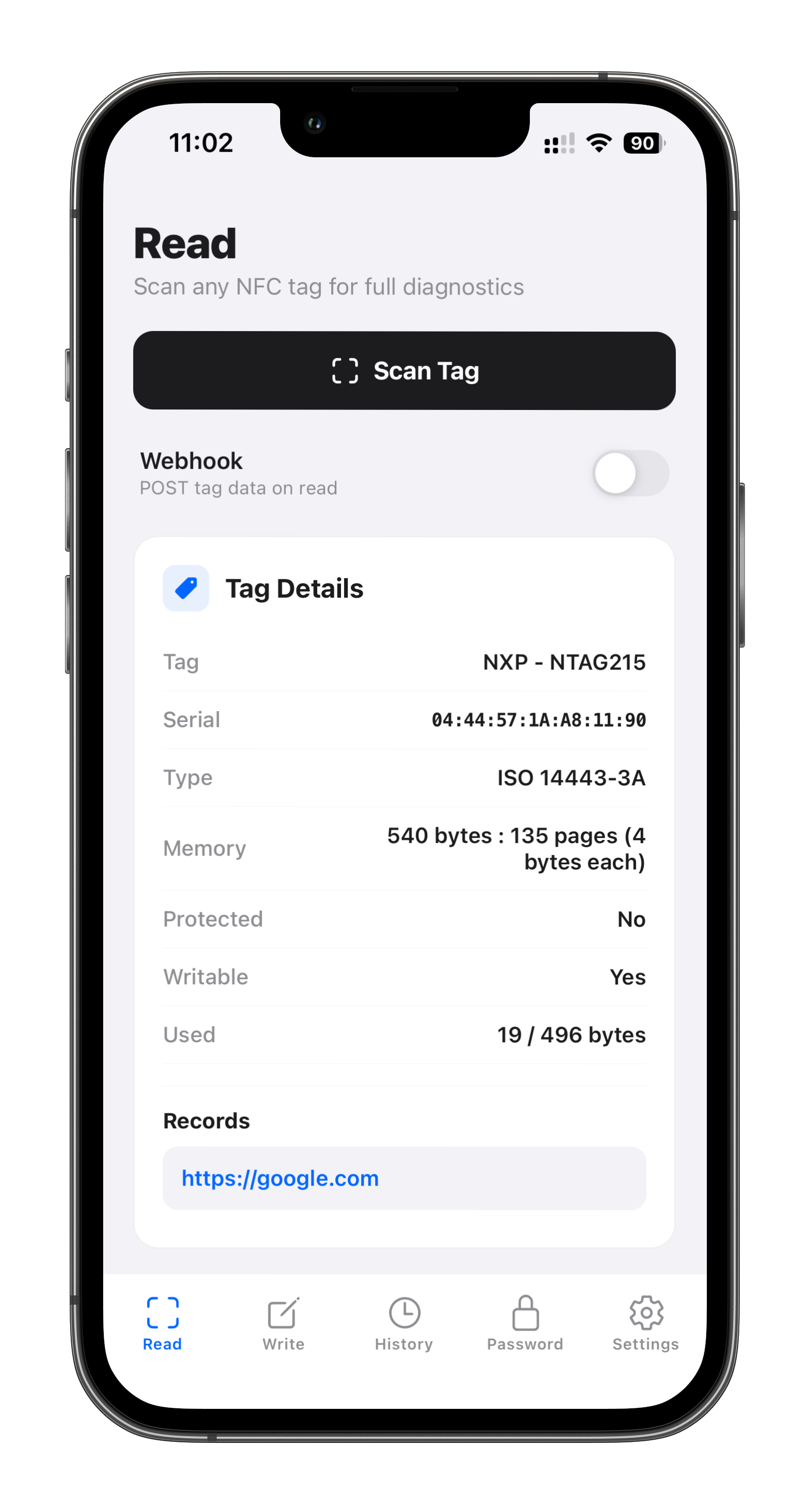
Enable toggle on Read/Write tab
On the tab where you need automation, switch on Send to webhook.
Scan or write a tag
Check your server logs and confirm a payload arrives with tagId, type, content, and timestamp.
POST https://your-server.com/webhook
Content-Type: application/json

{
  "tagId":     "04:A3:2B:1A:7C:E1:04",
  "type":      "url",           // "url", "contact", or "read"
  "content":   "https://example.com",
  "timestamp": 1711036800000    // Unix ms
}
tagId: unique NFC tag serial number (UID).type:url,contact, orread.content: written/decoded payload content.timestamp: Unix timestamp in milliseconds.
// npm i express
const express = require('express');
const app = express();
app.use(express.json());

app.post('/webhook', (req, res) => {
  console.log(req.body);
  res.sendStatus(200);
});

app.listen(3000, () => console.log('Webhook server on :3000'));
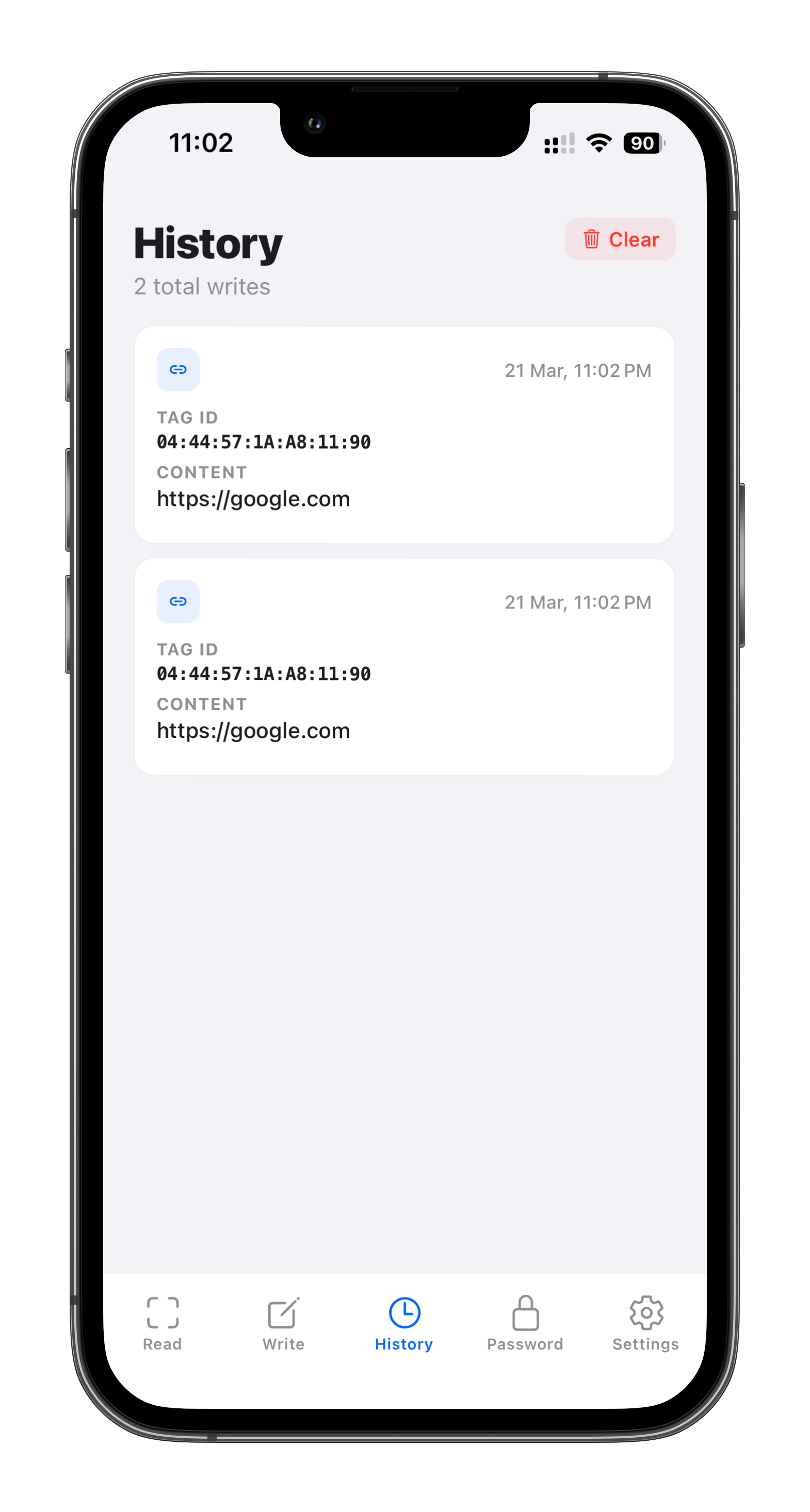
History that answers who wrote what and when
Each write entry includes tag UID, payload type, payload value, and exact timestamp so teams can investigate issues quickly.
Use history during deployments to confirm completed writes and during support to trace specific tags.
Start bulk writing with webhook and history in one app
Download NFC Memo to deploy tags faster, automate backend events, and keep a reliable write trail your team can trust.